


Table of Contents
The Grip Problem
Your Hand Changes More Than You Think
Grippy vs. Magnetic: What Actually Works
The One-Handed Use Trap
Why Weight Distribution Matters More Than You Think
Ring Stands (And Why Yours Probably Sucks)
How We Build Grip Solutions That Actually Adapt
Here's the Deal
Your "grippy" case isn't solving the right problem. Most of us aren't dropping phones because they're slippery. We're dropping them because our hands are exhausted. The real issue isn't that split-second slip moment everyone obsesses over. It's the 45-minute video call where your hand is cramping. It's the commute where your pinky is acting as a phone shelf. It's the cumulative fatigue from holding these devices in positions our bodies weren't designed for. And no amount of rubberized texture is going to fix that.
The Grip Problem
Everyone's obsessed with grippy phone cases. Rubberized this, textured that, military-grade grip patterns. Walk into any store and you'll see endless discussions about tackiness and preventing drops.
And you know what? They're solving the wrong problem.
Your phone isn't slipping out of your hand because it's too smooth. It's slipping because your hand is tired. Cramped. Done with holding this thing.
The global phone grips market is about to explode from around $1.2 billion in 2023 to an estimated $2.7 billion by 2032, growing at roughly 9.5% annually. What's driving this? People are finally waking up to the fact that their "grippy" cases aren't solving their real problem. They're realizing it's about ergonomics and hand strain, not just preventing that one dramatic drop.
Think about your last phone upgrade. You probably bought a case marketed for its "superior grip." How did that work out after holding your phone up for 45 minutes during a video call? Or after scrolling through your entire commute?
Your hand still hurt, didn't it?
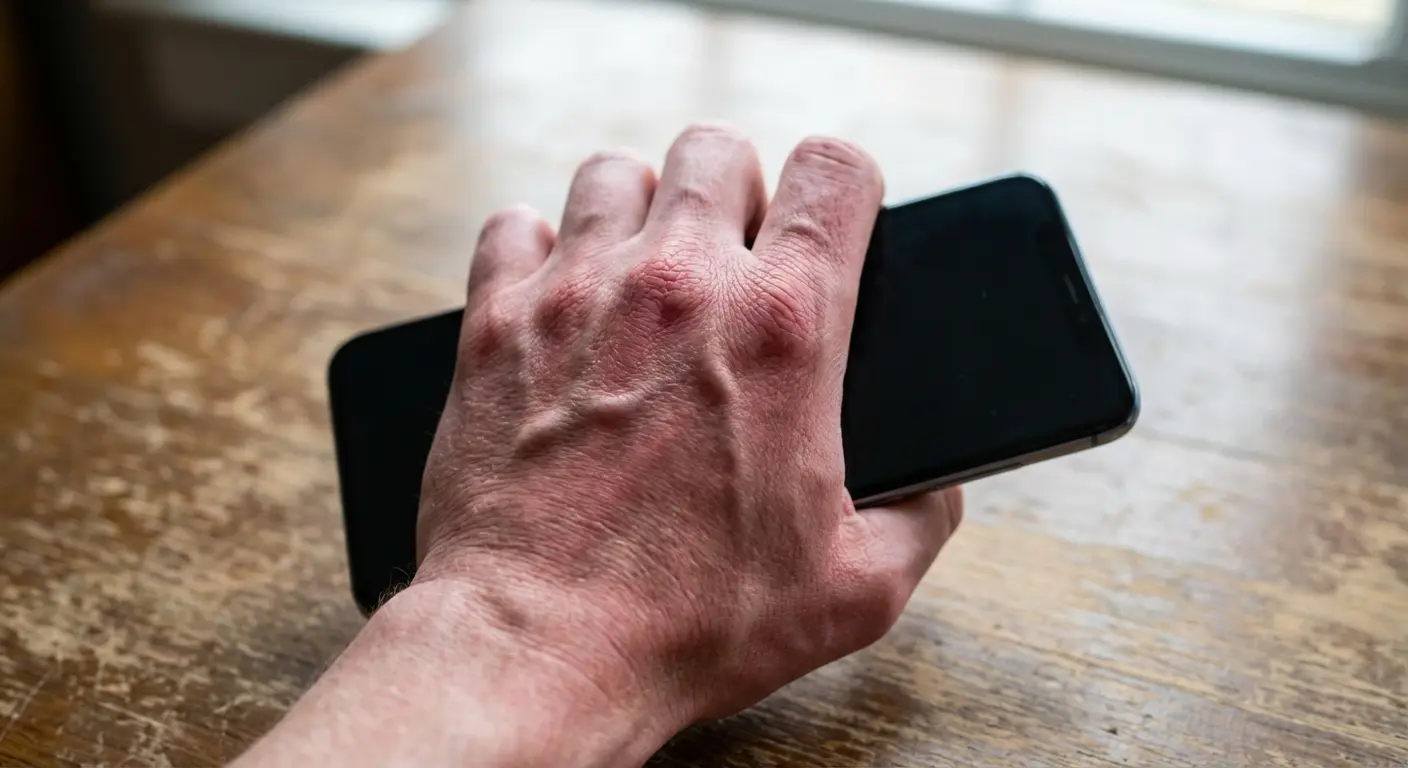
That pinky dent probably got worse, not better.
Here's what nobody talks about: phone case grip isn't something you can optimize once and forget about. It's a dynamic need that shifts based on what you're doing, where you are, and how long you've been holding your device. We've been treating it like a yes/no question (does the phone slip or not?) when it's really about comfort, support, and adaptability across dozens of different scenarios every single day.
We've Been Measuring Success Wrong
The phone case industry has this whole vocabulary around grip that tells you basically nothing useful. "Tacky." "Textured." "Rubberized." "Military-grade grip."
What do any of these actually mean for your experience? They describe a surface quality, sure. But they say nothing about whether that case will reduce hand fatigue during the activities you do most.
Grip ratings and reviews focus almost exclusively on that dramatic moment when your phone might slide out of your hand. They test for the split-second slip scenario. But when was the last time you actually dropped your phone because it was too smooth?
For most of us, drops happen when we're distracted, when our grip weakens after extended holding, or when we're trying to use our phone in some awkward position that strains our hand.
You've probably lived this. You bought that highly-rated case with the "incredible grip." In the store, it felt secure. The texture seemed reassuring. Then you got home and used it for twenty minutes of continuous scrolling, and your hand started to ache. The case didn't slip, but it also didn't provide any support. All that texture did was create more friction between your skin and the case surface. It didn't redistribute the phone's weight or give your fingers anywhere to rest.
The cumulative strain of holding a 7-ounce rectangle in positions our hands weren't designed for? That matters way more than surface texture.
We're optimizing for the wrong metric.
Your Real Grip Needs Change Every Hour
You know how you hold your phone one-handed on a crowded subway, thumb scrolling through news while your other hand grips a coffee cup and the overhead rail? Your pinky bears most of the phone's weight, curled underneath in that all-too-familiar shelf position.
Fast forward to lunch, and you're propping your phone against a water bottle on your desk, watching a video while eating with both hands free.
By evening, you're taking photos at your kid's soccer game, gripping the phone horizontally with both hands, needing stability for that action shot.
Same phone, same case, but three completely different grip requirements within twelve hours. A textured case that prevents slipping doesn't address any of these varied needs. It just makes your phone slightly stickier in all of them.
Morning commute scrolling requires different support than propping your phone on your chest while lying in bed. Taking photos demands stability in ways that texting doesn't. When you're walking while checking directions, you need security without active concentration. During video calls where you're holding the phone up, you need weight distribution that prevents arm fatigue. Gaming sessions stress your hands completely differently than casual browsing.
Each scenario puts pressure on different parts of your hand. Each one requires a different type of support. And here's the problem: a case optimized for one scenario often makes others worse. That slim case that slides easily into your pocket makes your hand work harder during extended holding. That ultra-grippy texture that prevents slipping catches on everything when you're trying to pull your phone out quickly.
We need to stop thinking about grip as a single feature and start thinking about it as an adaptable system that accommodates how we really use our phones throughout the day.
Your Hand Changes More Than You Think
The phone case industry loves to talk about hand size. Small hands need this case. Large hands need that one. Reviews constantly reference whether a phone is "manageable" for smaller hands.
But hand size is only one variable, and it's probably not even the most important one.
Finger strength matters more than you'd think. Joint flexibility changes how you can comfortably hold your phone. Your typical holding positions (which are habits, not determined by hand size) impact what kind of support you need. Whether you wear rings affects how your fingers can curl around your device.
Long nails change your grip mechanics entirely.
There's this interesting Apple collab from March 2025. They worked with LA artist Bailey Hikawa on a $69.95 phone grip designed specifically with input from users who have disabilities affecting muscle strength, dexterity, and hand control. The soft-touch silicone grip was developed to "support varied ways of holding iPhone while reducing the effort needed to keep it steady," according to Hikawa. Which, honestly, should have been the default approach all along. This marks a real shift from the one-size-fits-all mentality that's dominated phone grip design for years.
Age affects grip strength. Arthritis changes everything. Repetitive strain injuries from other activities (typing, manual labor, playing instruments) impact how much additional stress your hands can handle from phone holding. These factors affect millions of users, yet they're rarely considered in mainstream case design.
That case that works perfectly for your friend with "similar sized hands"? There's a good chance it feels terrible for you, and hand measurements aren't the reason why.
The Positions You Actually Hold Your Phone In
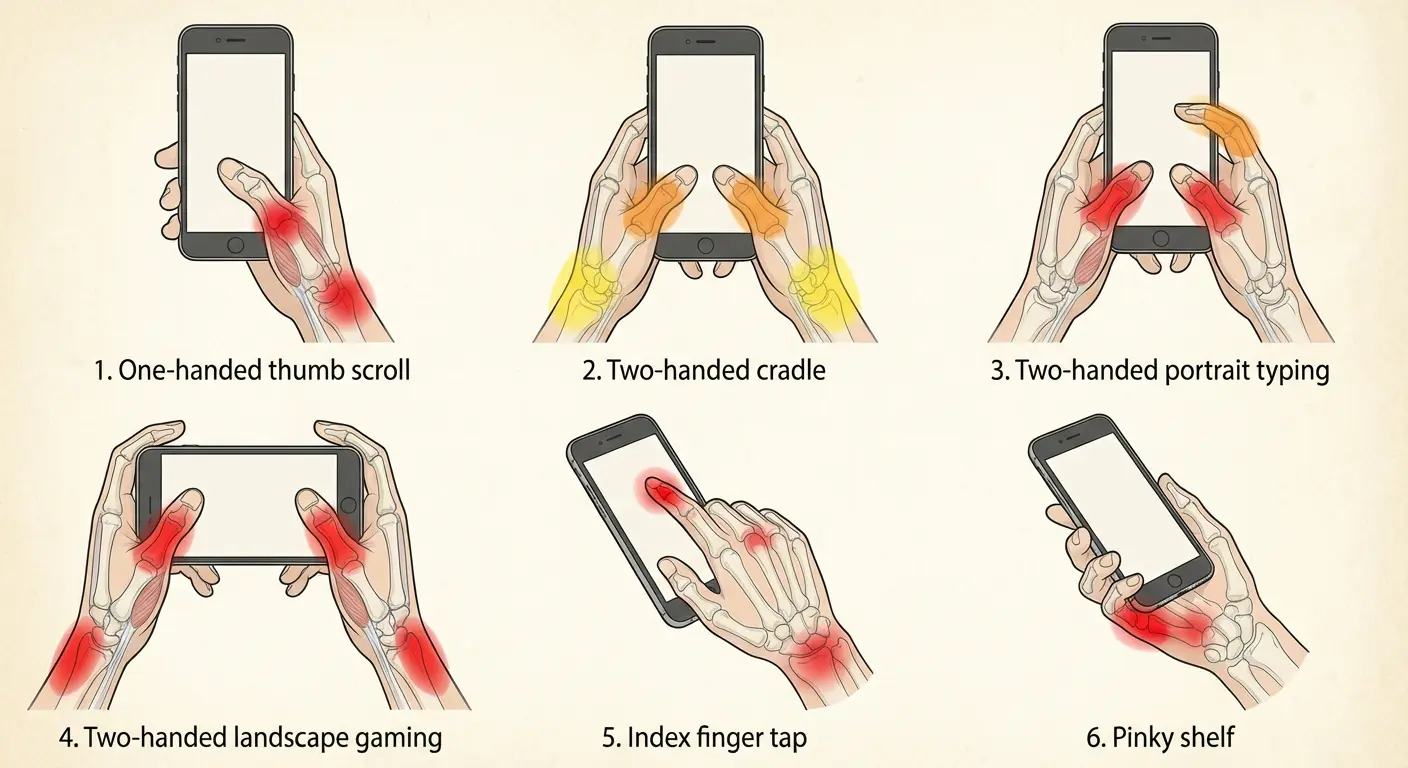
We hold our phones in six primary positions, each distributing weight differently across our hands. Understanding which positions you use most frequently matters more than finding a case with "good grip" in the abstract.
There's the classic one-hand cradle with pinky support, probably the most common position for casual scrolling while walking or commuting. Your pinky joint and the base of your thumb bear most of the stress.
Then there's the two-hand landscape grip for gaming and watching videos, which puts pressure on your thumb joints and creates awkward wrist angles.
The index-finger-top, thumb-bottom stretch happens when you're trying to reach the top of your screen one-handed, straining your finger tendons and palm muscles.
The palm-press with curled fingers is how you hold your phone when you're casually multitasking, resting the device in your palm with your fingers loosely curled around it. One-handed landscape viewing (usually for quick videos while standing) cramps your entire hand and strains your wrist. And the chest-level two-hand typing position, used for extended messaging or email composition, creates forearm fatigue and shoulder tension.
Look, I made a table because I'm a nerd and this stuff matters:
Holding Position |
Primary Stress Points |
Common Usage Scenario |
What Actually Helps |
|---|---|---|---|
One-hand cradle with pinky shelf |
Pinky joint, base of thumb |
Scrolling while walking, commuting |
Weight redistribution via ring stand or magnetic mount |
Two-hand landscape grip |
Thumb joints, wrist angle |
Gaming, watching videos |
Kickstand or prop to eliminate holding entirely |
Index-top, thumb-bottom stretch |
Finger tendons, palm muscles |
Reaching top of screen one-handed |
Honestly just use two hands |
Palm-press with curled fingers |
Palm pressure, finger flexors |
Casual holding while multitasking |
Textured sides for passive security without active grip |
One-handed landscape |
Entire hand cramping, wrist strain |
Quick video viewing while standing |
Pop-out ring or immediate transition to prop/stand |
Chest-level two-hand typing |
Forearm fatigue, shoulder tension |
Extended messaging, email composition |
Lighter overall phone/case combo, periodic position changes |
Each position requires different support. A case that helps in one position might make another position worse. This is why your "perfect" case sometimes feels uncomfortable. It's optimized for a position you don't use as often as you thought you did.
Why Your Pinky Shouldn't Be a Phone Shelf
My friend Sarah texted me a photo of her pinky last month. Like, just her pinky. With a dent in it. "Is this normal?" she asked.
Reader, it is not normal. But it is common.
She'd upgraded from a 5.8-inch display to a 6.7-inch model, adding nearly an ounce of weight and a full inch of height. Her hand size hadn't changed, but suddenly her pinky was doing all the work.
She bought a "high-grip" silicone case thinking it would help. It didn't. The case made the problem worse by adding another half-ounce and making the phone wider, forcing her pinky to curl even more dramatically to create that shelf. The texture kept the phone from slipping off her pinky, but it did nothing to address why her pinky was being used as a shelf in the first place.
What she actually needed was a way to stop using her pinky as a phone shelf. Because here's the thing about your pinky: it's the weakest finger on your hand, and it wasn't designed to support 7 ounces of glass and metal for hours a day. Making it stickier just means you're gluing the problem in place.
The infamous "smartphone pinky" phenomenon happens because of poor weight distribution forcing users to improvise a support point. Your pinky becomes a shelf because there's nowhere better to redirect the weight. Adding more friction to a case doesn't solve this problem. The phone isn't slipping. Your hand is struggling to support it in a sustainable way.
This is where ring stands and magnetic mounting options become relevant. They redistribute load away from your weakest finger. They give you alternative ways to hold or prop your phone that don't require your pinky to bear the burden of supporting an increasingly heavy device for hours each day.
Grippy vs. Magnetic: What Actually Works
Most people assume friction-based grip and magnetic hold systems are competing approaches.
They're not.
They solve different problems, and the best solutions often combine both rather than relying on one exclusively.
Friction helps you maintain contact with the phone's surface. Textured cases, rubber coatings, and raised edges prevent the device from sliding through your fingers. This is passive grip. It only works when you're actively holding the phone. The moment you relax your grip, friction does nothing to support the device.
Magnetic systems create attachment points that let you offload the phone's weight entirely or secure it to external surfaces. You can stick your phone to your fridge while cooking. You can attach it to a car mount without fumbling with clips. You can use a ring stand that magnetically connects and disconnects based on your needs. This is active hold. It works even when your grip relaxes, and in many cases, it eliminates the need to grip at all.
Understanding what is a magnetic phone case and how it functions can help you make an informed decision about which approach best suits your needs when evaluating different grip solutions.
This distinction is huge for reducing hand fatigue. Friction might prevent drops, but it doesn't reduce the effort required to hold your phone. Magnetic systems can eliminate that effort entirely in many situations.
When Texture Actually Helps (And When It Doesn't)
Textured, high-friction cases genuinely improve your experience in specific scenarios. When you're pulling your phone from a pocket with one hand, that grippy texture gives you confidence. When your hands are sweaty or wet, friction prevents slipping. When you place your phone on a tilted surface (car dashboard, slanted desk), texture keeps it from sliding off. During quick, dynamic movements, that tactile feedback helps you maintain contact.
But texture has clear limitations. It doesn't reduce the effort required to hold your phone up. It doesn't help with weight distribution. It can't eliminate hand fatigue during extended use. And it often creates new problems. Your "ultra-grippy" case catches on everything, making it harder to slide into tight pockets or use with car mounts that require smooth insertion.
You've probably noticed these tradeoffs without fully recognizing them. That case that feels so secure in your hand also fights you every time you try to pocket your phone quickly. That's not a flaw. It's an inherent limitation of friction-based grip.
Magnetic Attachment Points Change the Equation
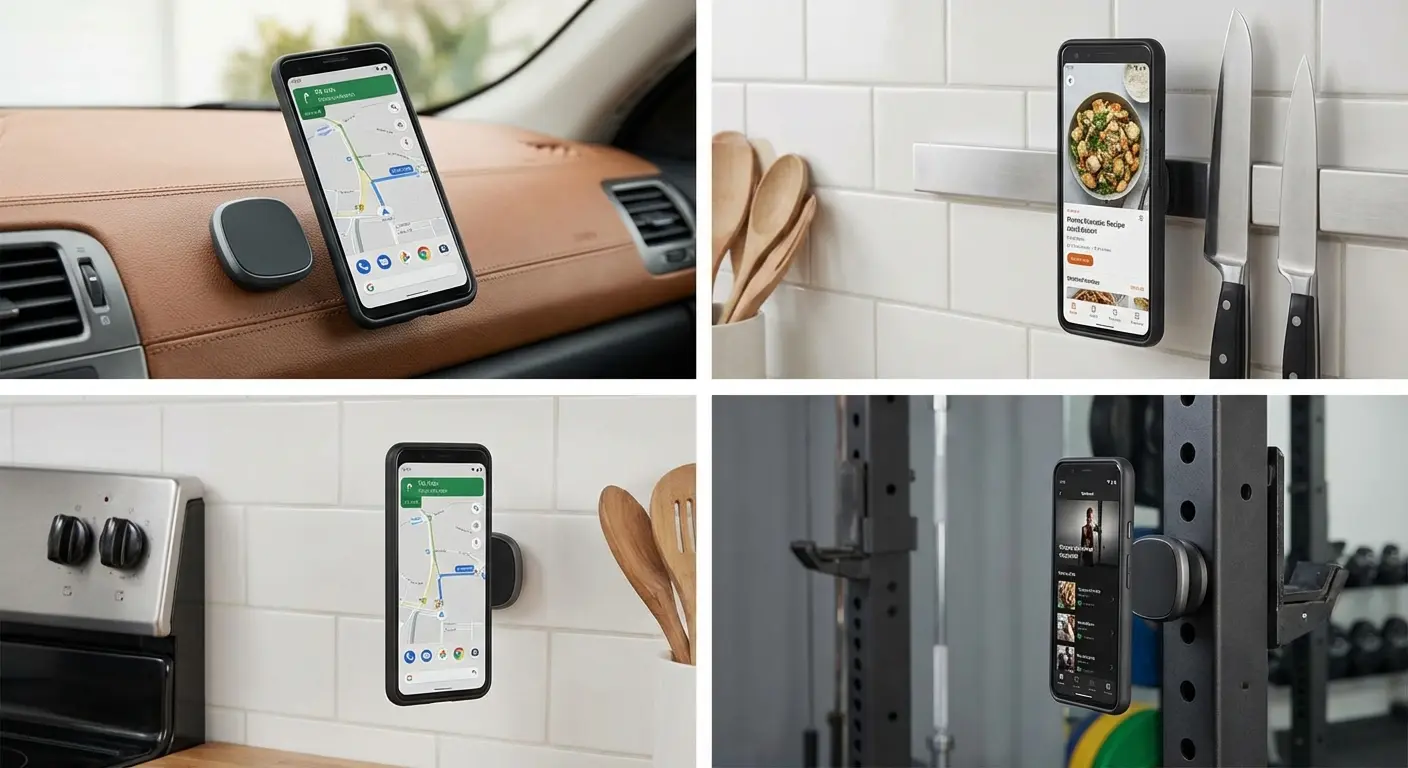
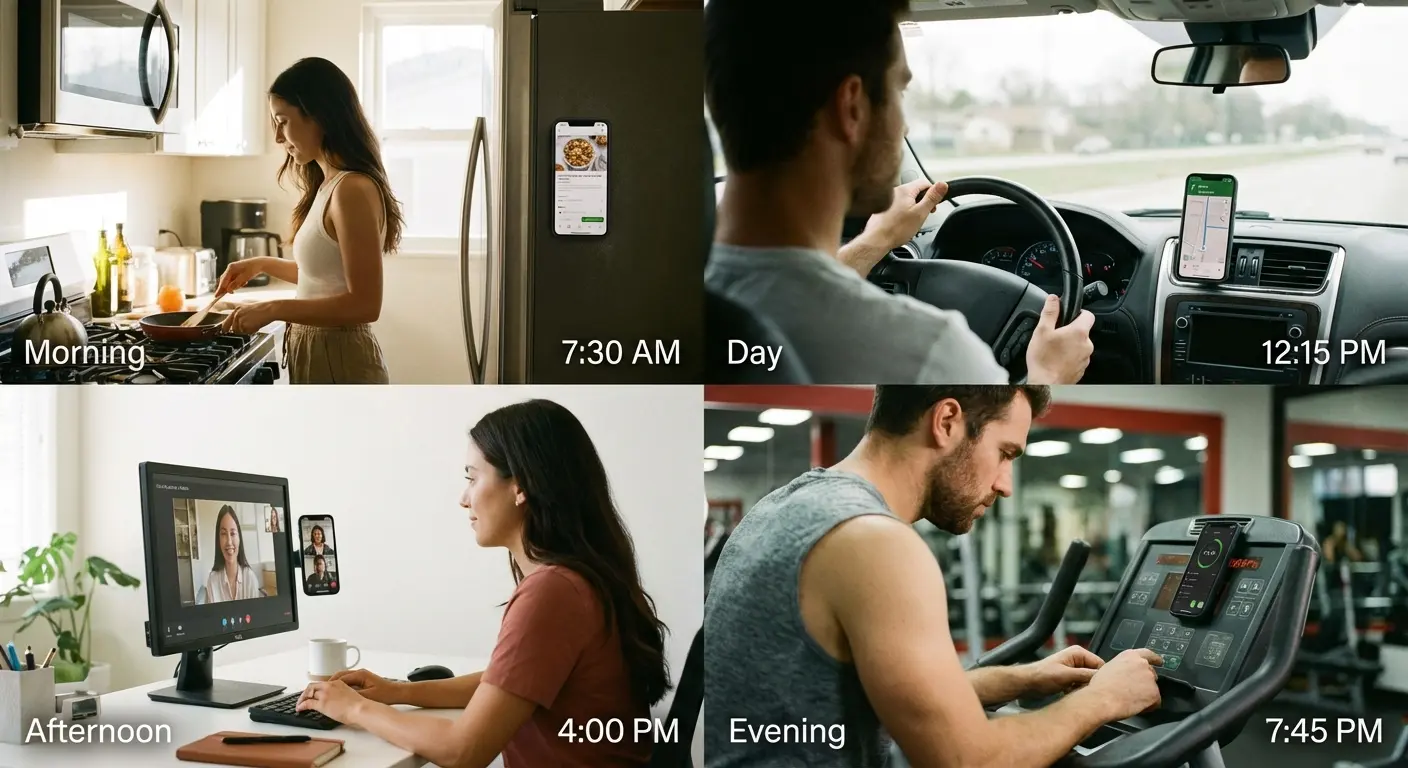
Magnetic systems, whether built into the case or added via accessories, create entirely new options for how you interact with your phone. You can stick it to your fridge while cooking, following a recipe without holding anything. You can attach it to a car mount without fumbling with clips or cradles. You can use a ring stand that magnetically connects when you need extra security and disconnects when you want a slimmer profile.
The real win here: these systems let you completely release your grip in many situations, eliminating hand fatigue rather than just reducing it. When you're watching a video at your desk, your phone can stand on its own via a magnetic kickstand. When you're navigating while driving, it's securely mounted without you touching it. When you're cooking, it's attached to a metal surface at eye level.
According to market analysis of Amazon's phone grip ecosystem, MagSafe-compatible magnetic phone grips have shown consistently high sales and significant search volume growth, particularly spiking in July 2025. This indicates rising consumer interest in magnetic attachment solutions over traditional friction-based grips. People are discovering that adaptable hold systems solve problems that sticky textures never could.
There's a common concern about magnetic interference with cards or phone function. Modern magnetic systems are designed to avoid these issues. The magnets are positioned and shielded to prevent interference with your phone's wireless charging, NFC payments, or credit card strips. We've been using magnetic mounting systems in our cases for years, and the engineering is mature enough that these concerns are largely obsolete.
Now you're probably thinking: "Magnetic? Won't that mess with my cards?" Short answer: no. Longer answer: modern magnetic systems are shielded specifically to prevent this, and I've been using magnetic cases for three years without a single issue. But I get the concern.
The One-Handed Use Trap
Being able to reach the top corner of your screen with your thumb feels impressive. Phone reviews obsess over it. Case designs prioritize it.
But here's the uncomfortable truth: it's not how most people use their phones most of the time.
Typing is better with two hands. Gaming requires two hands. Watching videos doesn't require reaching anything. You're usually just holding the phone or propping it up. Taking photos is more stable with two hands. Even scrolling, which seems like the quintessential one-handed activity, often shifts to two-handed when you're doing it for extended periods because your hand gets tired.
Optimizing cases for one-handed operation often makes these more common activities worse. We're designing for the edge case at the expense of the common case.
That's backwards.
The Reachability Obsession
The ability to reach every part of your screen one-handed became a fixation because of marketing around smaller phones and iOS reachability features. The tech press reinforced it. Every phone review includes a section about whether you can comfortably reach the top corners with your thumb. Case reviews mention whether the design facilitates or hinders one-handed use.
But watch your own behavior for a day. You shift your grip constantly. You use your other hand when needed. You simply don't interact with certain parts of the screen in certain positions. The scenarios where you genuinely need to reach the entire screen one-handed are rarer than you think.
Cases designed with extreme tapering or minimal profiles to enable one-handed use often sacrifice drop protection and comfort. They're thinner on the sides, which means less cushioning during impacts and less surface area for your fingers to grip. They avoid adding any features (kickstands, ring holders, magnetic plates) that would increase thickness. For most users, this is a bad trade.
Have you ever actually tracked how often you use your phone one-handed versus two-handed? Most people haven't. They assume they use their phone one-handed more than they do because that's what feels impressive, what gets marketed, what reviews emphasize. But the reality is different.
What You're Sacrificing for That Extra Millimeter of Reach
Prioritizing one-handed use comes with concrete design compromises. Thinner cases with less impact protection. Minimal side grip because bulk would make the phone wider. Elimination of useful features like kickstands or ring holders that add thickness.
You're giving up protection and functionality for the theoretical ability to reach the top corner of your screen with your thumb, a movement that strains your hand and that you probably avoid doing anyway by shifting your grip or using your other hand.
If you're constantly fighting with your phone's size and weight, exploring options like the best phone mount for bikes can help you eliminate the need to hold your device during activities where one-handed operation is genuinely impractical.
Think about what you're really optimizing for. Is reaching that notification shade one-handed really worth sacrificing the drop protection that could save your screen? Is it worth eliminating the kickstand that would let you watch videos hands-free?
For most of us, the answer is no. We've just been conditioned to think one-handed use is the gold standard when it's really just one use case among many.
Why Weight Distribution Matters More Than You Think
Here's a concept that almost never appears in phone case discussions: how weight is distributed across your hand matters more than total device weight. A 7-ounce phone that balances well in your palm feels lighter than a 6-ounce phone where all the weight pulls toward the top.
This is basic physics. Center of gravity, leverage, moment arms. When weight is far from your grip point, your hand works harder to keep the phone level. When weight is concentrated near where your palm naturally supports the device, less effort is required.
Cases can dramatically affect weight distribution. Adding strategic bulk in the right places can improve balance, even though it increases total weight. Adding weight unevenly can worsen the problem, making a lighter phone feel heavier to hold.
This is why some "heavy-duty" cases feel better to hold for extended periods than minimal cases, even though they add weight. The total weight increased, but the leverage working against your hand decreased.
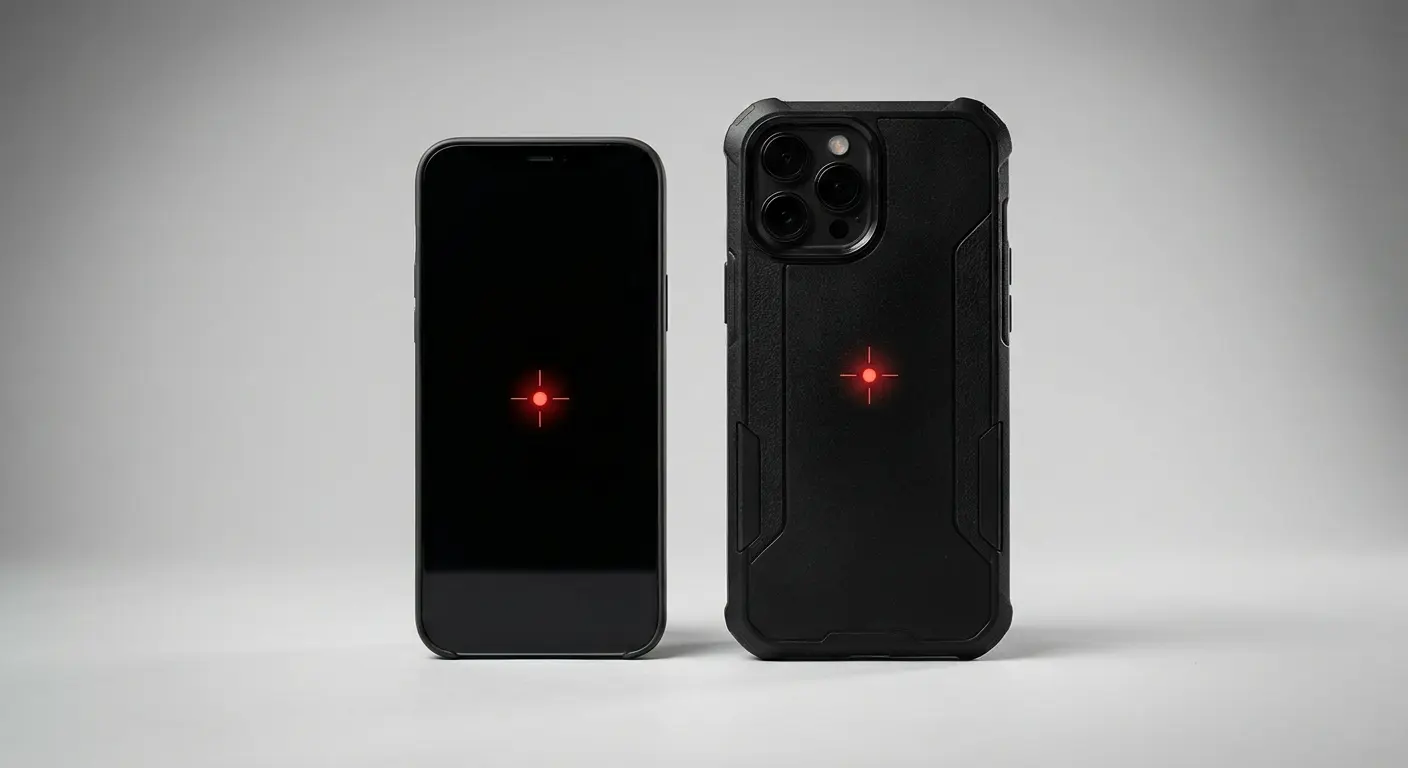
Why Some Bulky Cases Feel Lighter Than Thin Ones
Mike, a construction supervisor I know, switched from a slim 0.5mm case to a rugged Otterbox Defender that added nearly 2 ounces to his phone. Counterintuitively, his hand fatigue decreased.
The slim case left his phone top-heavy, with the camera bump and battery weight concentrated in the upper third of the device. Holding it steady for site photos meant his hand was constantly fighting against the phone wanting to tip backward. The Otterbox added protective bulk around the entire perimeter, but here's the key: it added more material near the bottom and sides than at the top. This brought the phone's center of gravity down and closer to where his palm naturally supported it.
Yes, the total weight increased. But the leverage working against his hand decreased. The result: he could hold his phone steady for job site documentation without his hand cramping, something the "lightweight" case never achieved.
A case adding an ounce of weight near your palm (where your hand naturally supports the phone) can feel lighter than a minimal case that leaves all the phone's weight concentrated in the upper half of the device. When weight is far from your grip point, your hand works harder to keep the phone level. Strategic bulk can bring the center of gravity closer to your natural grip, reducing the effort required to hold the phone steady.
We've been conditioned to think lighter always equals more comfortable. But that's not how leverage works. Distribution matters more than total mass.
Case Type |
Total Added Weight |
Weight Distribution Pattern |
Perceived Holding Effort |
Best For |
|---|---|---|---|---|
Ultra-thin (0.3-0.5mm) |
+0.3-0.5 oz |
Minimal, follows phone's natural distribution |
High (phone remains top-heavy) |
Pocket minimalists who rarely hold phone for extended periods |
Standard TPU/silicone |
+0.7-1.2 oz |
Even around perimeter, slight bottom emphasis |
Medium |
Balanced protection and handling for typical daily use |
Rugged (Otterbox, UAG style) |
+1.5-2.5 oz |
Heavy bottom/side reinforcement, moderate top |
Low to Medium |
Extended holding, outdoor use, frequent photography |
Battery case |
+2.5-4 oz |
Significant bottom weight concentration |
Medium to High |
Users prioritizing battery life over ergonomics |
Wallet case |
+1.5-3 oz |
Uneven (cards create back-heavy imbalance) |
High |
Minimalist carry, infrequent extended holding |
The Camera Bump Problem Nobody Wants to Admit
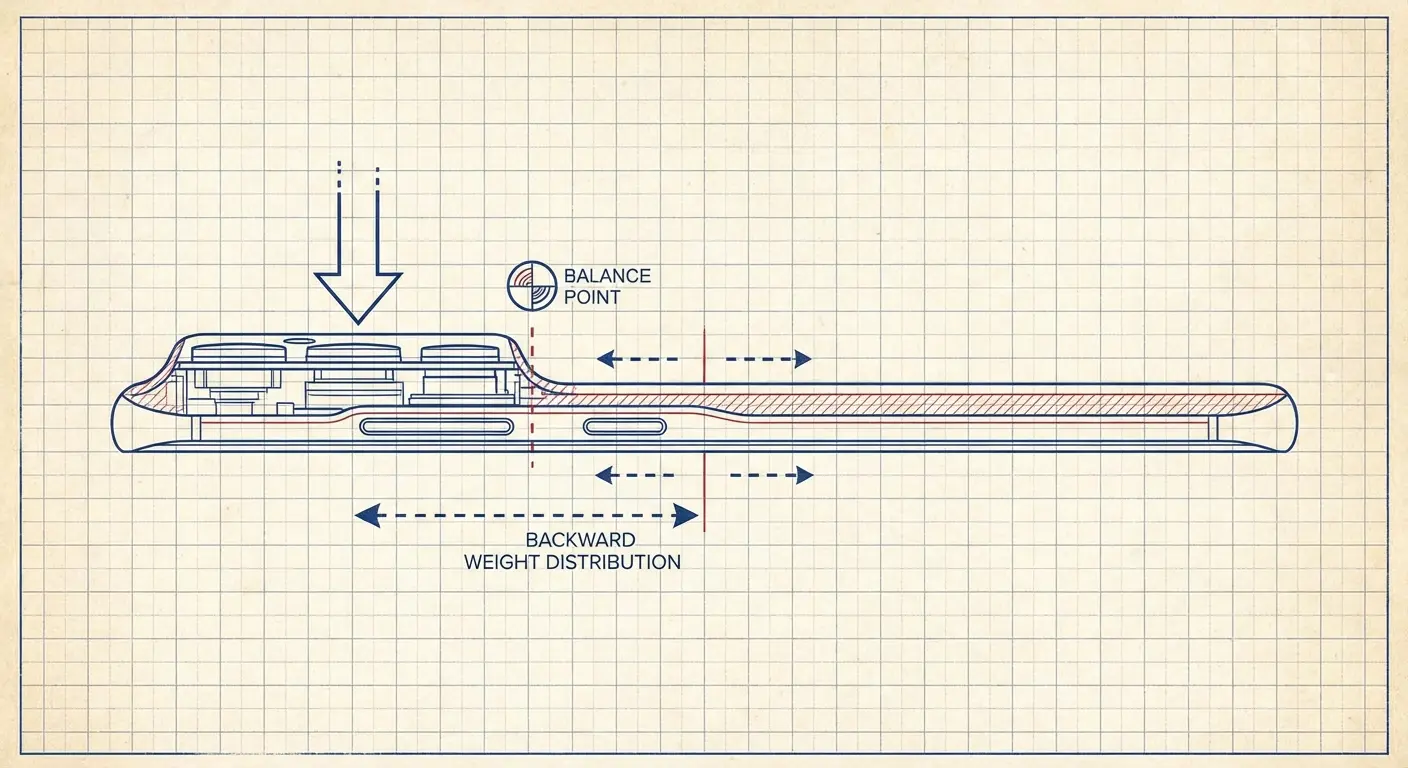
Modern phones have increasingly prominent camera bumps that push the phone's center of gravity upward and backward, away from your palm. This makes the phone want to tip backward out of your hand, forcing you to grip tighter to compensate.
Most cases simply accommodate the camera bump rather than counterbalancing it. They create a flat surface by raising the entire back of the case to match the bump's height, but this doesn't address the weight distribution problem. The camera array (with its multiple lenses, sensors, and glass elements) is still concentrated in the upper corner, creating an imbalance.
Cases could use strategic thickness elsewhere to offset this imbalance, creating a device that sits more naturally in your hand despite being slightly thicker overall. Some do. Most don't, because thickness is treated as universally bad rather than as a tool for improving ergonomics.
If you've noticed your phone feels more precarious to hold after upgrading to a model with a larger camera array, this is why. The weight distribution changed, and your case probably didn't compensate for it.
The durability conversation has evolved beyond just drop protection. As BGR's analysis of customer-rated case brands reveals, consumers increasingly appreciate cases like UAG's lineup because "even the case don't get damaged when dropped," according to Reddit users. This shift in expectations means cases are being evaluated not just on whether they protect the phone, but on their own structural integrity and long-term ergonomics. Brands like Otterbox, UAG, and Mous consistently receive praise for maintaining their protective qualities and comfortable grip over years of use, not just in the first few weeks.
Ring Stands (And Why Yours Probably Sucks)
Ring stands are everywhere now. And most of them suck.
Not because the idea is bad. It's actually pretty clever. But because they're positioned for aesthetics instead of, you know, actually working with how your hand moves.
The typical ring stand, centered on the back of the phone with thin metal construction, has predictable issues. Rings placed too high or too low for comfortable finger insertion. Rings that don't rotate smoothly under load. Rings that break at the hinge after a few months. Rings that make wireless charging impossible.
We've all experienced the frustration of a ring stand that looked good but felt awkward during actual use. The problem isn't the concept of ring stands. The problem is that they're positioned for aesthetics, not biomechanics.
According to trend analysis, the primary complaint about magnetic ring grips on Amazon is "items falling off," with users specifically requesting enhanced magnet strength and adhesive quality. This indicates that while consumers want the convenience of ring stands, current implementations often fail at the most basic requirement: staying attached to the phone during actual use.
Where Your Ring Should Actually Go
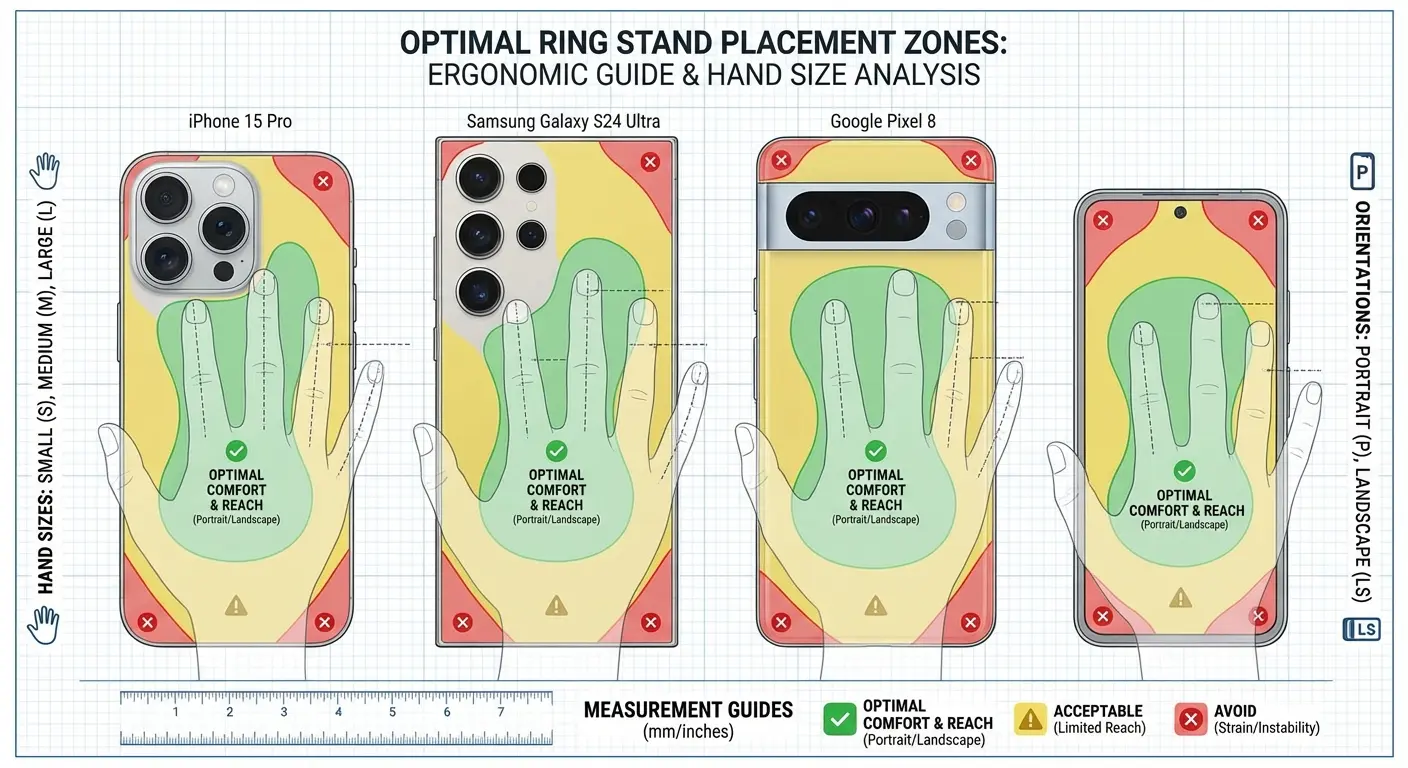
The optimal ring placement depends on whether you primarily use your phone in portrait or landscape, whether you're right or left-handed, and what size your hands are. There's no universal "best" position, which is why centered rings often feel wrong.
For most people, the ring should be positioned lower than they think, roughly one-third up from the bottom of the phone. This creates a balanced pivot point. Your finger slides into the ring naturally, and the phone balances without forcing your hand into an uncomfortable position.
Rings placed too high (which is common because it "looks better" centered) force your hand into an awkward claw position. Your finger has to reach up into the ring, and the weight of the phone pulls down from above your grip point. This creates leverage working against you.
Rings placed too low can interfere with wireless charging or make the phone tip forward. But this is less common than the too-high problem.
If the ring on your current setup feels awkward, positioning is probably why. A ring in the wrong location is worse than no ring at all because it gives you a false sense of security while forcing your hand into a strained position.
The Magnetic Ring Advantage
Magnetic ring stands that attach and detach from your case rather than being permanently affixed solve multiple problems. You're not locked into one configuration. You can position the ring differently for landscape versus portrait use. You can remove it entirely for wireless charging, slimmer pocket profile, or when you're using a different mounting solution.
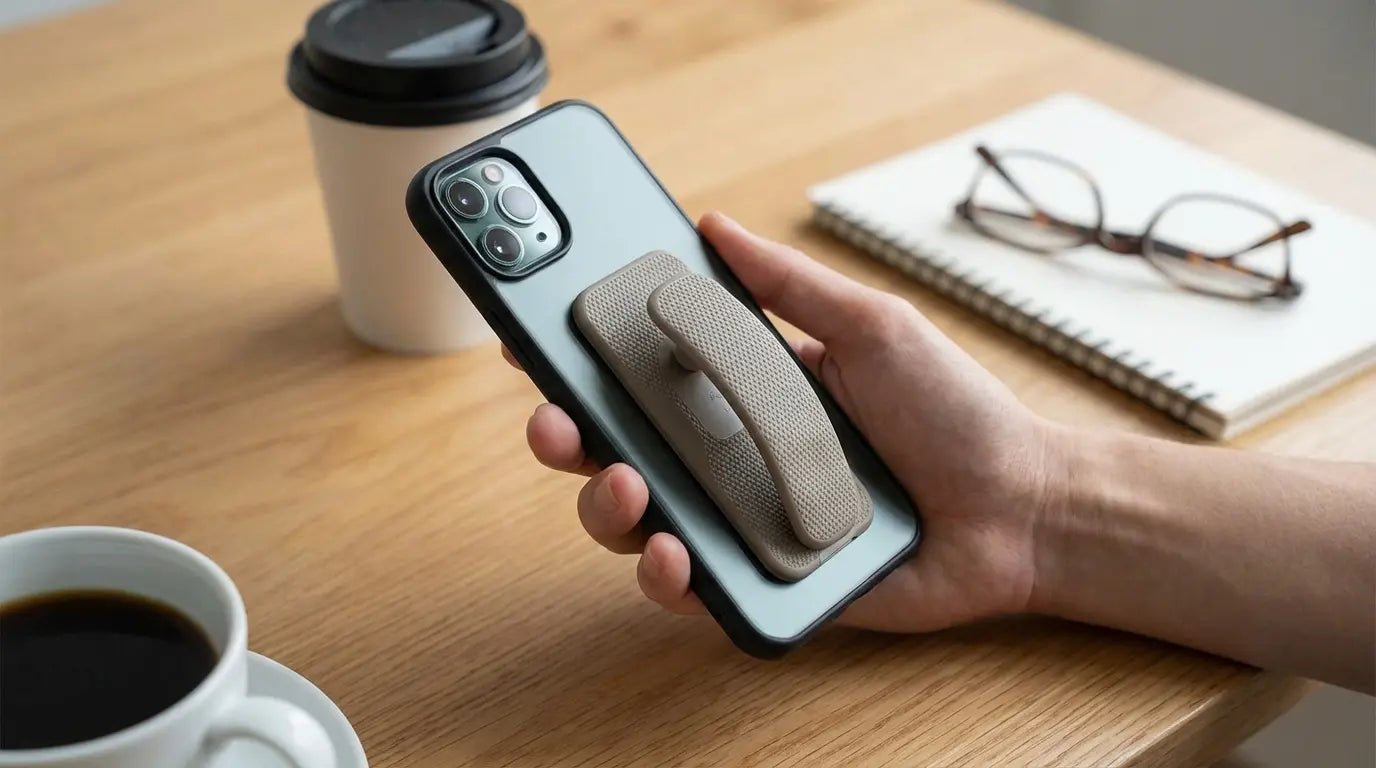
This is why we built the MagMax Sport Ring Stand the way we did. (Yeah, we make phone cases and accessories, that's why I'm writing this post.) It offers a robust ring that magnetically connects when you need it and removes when you don't. The key advantage: adaptability. You can have the ring when it's beneficial and remove it when it's not, rather than compromising in both situations.
This works perfectly with Rokform phone cases, which have integrated magnetic systems designed for secure attachment. But because it's MagSafe compatible, it's universal to any magnetic phone case, giving you flexibility regardless of your current setup.
Understanding MagSafe phone grip options explains how these systems integrate with other accessories for maximum versatility.
Ring stands genuinely improve your experience during extended one-handed holding: scrolling through social feeds, reading articles, watching videos while standing. They provide extra security when taking photos at awkward angles where you need stability. They function as kickstands for propping your phone on a desk or table.
They're less useful (and sometimes annoying) when you're typing with both hands, putting your phone in a pocket, or using wireless charging. The magnetic approach lets you have the ring when it's beneficial and remove it when it's not.
How We Build Grip Solutions That Actually Adapt
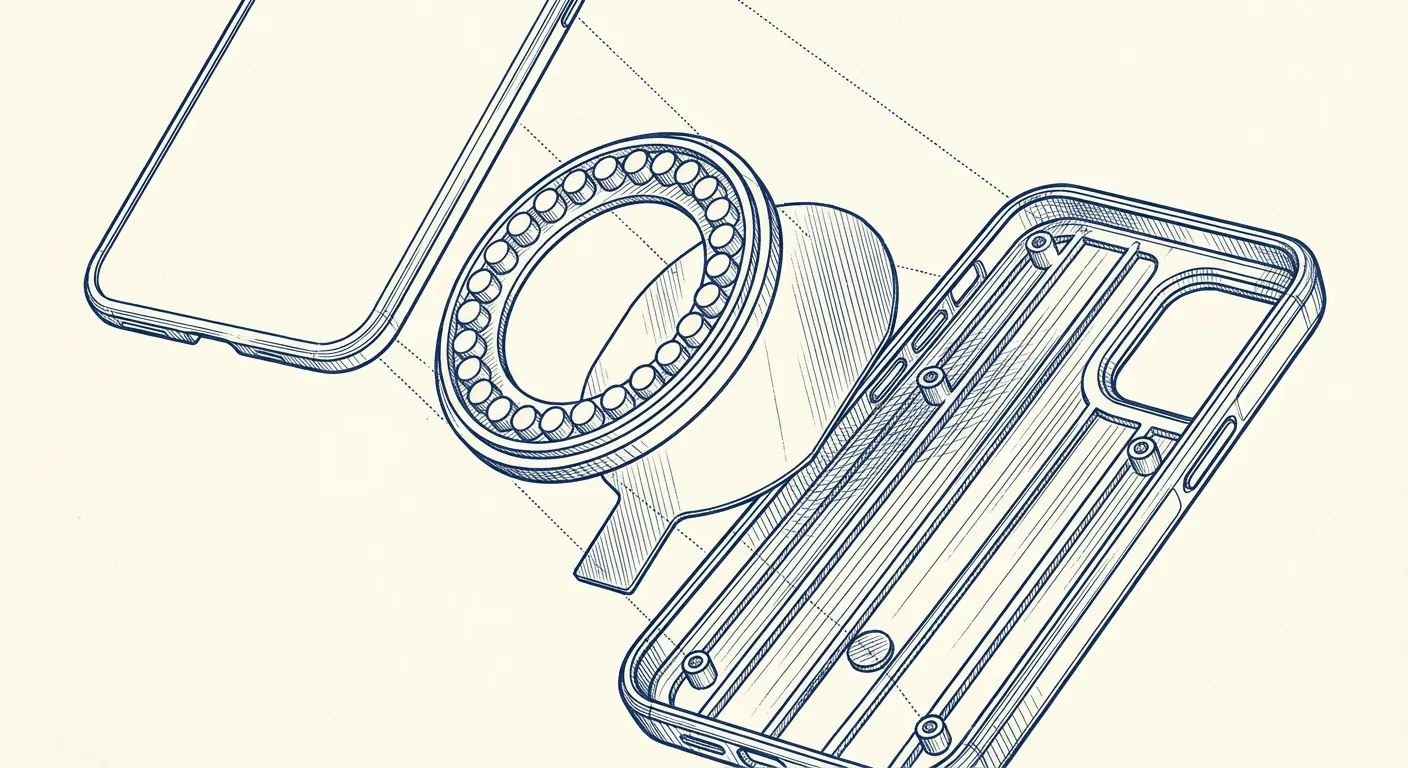
We design cases with integrated magnetic systems that let you attach different accessories based on your current need. A ring stand for extended holding. A car mount for driving. A bike mount for cycling. A magnetic wallet for streamlined carry. Your grip needs change constantly throughout the day, and your case should accommodate that rather than forcing you into a single interaction mode.
This approach reduces hand fatigue by letting you offload the phone's weight in many situations. It increases versatility. One case works across multiple mounting scenarios. It improves long-term comfort because you're not fighting against your case's limitations.
Why We Built Magnets Into the Case Structure
We made the engineering decision to integrate magnets directly into the case rather than relying on external magnetic accessories or MagSafe alone. This creates a stronger, more reliable magnetic connection that can handle the stress of mounting your phone to a motorcycle handlebar at highway speeds or using it as a workout companion on gym equipment.
The integrated approach also allows for better weight distribution. The magnets add strategic mass low in the case, helping to counterbalance top-heavy phones with large camera bumps. And it doesn't interfere with the case's protective capabilities. The magnets are positioned and shielded to maintain drop protection and shock absorption.
We're transparent about the tradeoff: this makes our cases slightly bulkier than minimal options. But for users who value versatility and reduced hand fatigue, it's a worthwhile exchange. You're getting a system that adapts to how you use your phone, not just a protective shell.
The Mounting Ecosystem You Didn't Know You Needed
Your morning might involve magnetically attaching your phone to a kitchen mount while making breakfast (hands-free recipe viewing). Transition to a car mount for your commute (secure GPS without fumbling with clips). Then use a desk stand at work (better ergonomics for video calls). Each transition takes seconds and requires no grip adjustment or case swapping.
Contrast this with the typical experience of juggling different cases or accessories for different situations. You have a car mount that only works with a specific case. A desk stand that doesn't fit your protective case. A bike mount that requires removing your case entirely. You're constantly compromising, choosing which accessory matters most for that day and accepting limitations everywhere else.
The versatility extends beyond just grip. Learning how the best car phone mounts integrate seamlessly with magnetic case systems creates a truly adaptable mobile experience.
When You Actually Need That Ring
Ring stands excel during extended one-handed holding: scrolling through social feeds, reading articles, watching videos while standing. They provide extra security when taking photos at awkward angles where you need stability. They work as kickstands for propping your phone on a desk or table.
They're less useful when you're typing with both hands, putting your phone in a pocket, or using wireless charging. The magnetic ring approach lets you have the ring when it's beneficial and remove it when it's not.
You're probably tired of your hand cramping during long phone sessions, or that telltale pinky dent that's become a permanent feature. We built our magnetic case system specifically to address these pain points by giving you options. The MagMax Sport Ring Stand gives you a secure hold when you need it and removes completely when you don't, working seamlessly with our cases or any MagSafe-compatible setup. Check out the full system at rokform.com/products/magnetic-magmax-sport-ring-stand-magsafe-compatible and see how adaptable grip works in practice.
Understanding magnetic phone grip technology is essential for choosing accessories that will improve your daily phone handling experience.
Final Thoughts
Look, here's what it comes down to: The case that feels great in the store for 30 seconds probably isn't the one that'll feel great during a 45-minute video call.
We've been optimizing for the wrong thing. The dramatic drop moment instead of the boring reality of just... holding your phone. A lot. Every day.
Phone case grip isn't about finding the stickiest texture or the most minimal profile. It's about building a system that adapts to how you use your phone throughout the day. Your grip needs change based on context, duration, and activity. The cases and accessories that acknowledge this reality (through magnetic systems, thoughtful weight distribution, and modular attachment options) will serve you better than those optimized for a single scenario or aesthetic preference.
Audit your own usage patterns rather than defaulting to what reviews or marketing suggest is "best." The ideal grip solution is the one that solves your specific pain points across your actual daily routine. Track how you hold your phone during different activities. Notice when your hand gets tired. Pay attention to which positions cause discomfort and which feel sustainable.
The smartphone industry has trained us to accept hand fatigue and awkward holding positions as inevitable. They're not. You just need to stop solving for the wrong problem.
Grip isn't about preventing that one dramatic drop (though that matters too). It's about the cumulative comfort across thousands of interactions. It's about whether your hand hurts after a video call. Whether your pinky has developed that characteristic dent. Whether you can comfortably use your phone for the activities you do most without constantly shifting positions to relieve strain.
Most "grippy" cases optimize for the split-second slip scenario while ignoring the hours of holding that happen between those moments. They add friction without adding support. They prevent sliding without addressing weight distribution. They prioritize one-handed reach without considering that most of your usage is two-handed anyway.
The best phone case grip solution isn't the one that feels most secure when you pick it up in a store. It's the one that still feels comfortable after 45 minutes of use. It's the one that gives you options: a ring when you need it, a mount when you don't want to hold the phone at all, a kickstand when you want it propped up hands-free.
Your hand wasn't designed to hold a 7-ounce glass rectangle for hours each day. No amount of texture is going to change that fundamental reality. But adaptable systems that let you offload that weight, redistribute it, or eliminate the need to hold the device entirely? Those can make a real difference.
Choose accordingly. (Or don't. Your pinky dent, your choice.)

