


It’s January 2026, and the sheer volume of apps out there is mind-boggling—over 2 million on Google Play alone (42matters). I was doom-scrolling through the store the other day, trying to find a specific ad-blocker I used to love, only to realize Google had quietly nuked it. That moment was a wake-up call. Sticking to the beaten path means you miss out on the tools that actually make Android the powerhouse that it is. I want to take you off-road a bit and explore the ecosystem beyond that standard icon on your home screen.
We all get cozy with the default google play store because, well, it’s right there. But limiting yourself to one storefront is like only ever shopping at one supermarket; you miss the specialty goods. Exploring alternative android app stores opens the door to open-source gems, region-locked games that haven't hit the US yet, and privacy tools that big tech companies generally try to hide.
Table of Contents
What to Look for Before You Download
The Mainstream Giants
Open Source & Privacy Focused
General Third-Party Markets
Gaming & Region Specific
Manufacturer & Niche Stores
From Software to Hardware: The Rokform Connection
Final Thoughts
TL;DR
In a rush? Here’s the quick version of what you need to know when stepping outside the walled garden. First, don't ignore security. You have to be sure a store vets its android applications for malware before you hit download. Privacy is another big one; stores like f-droid offer a level of anonymity that the big corporate stores just can't match. Also, keep in mind that "not available in your country" is usually a solvable problem—third-party markets are great for bypassing those annoying region locks.
Update management is huge, too. You want an apps store for android that handles background updates automatically so you aren't stuck running security risks on old versions. Finally, think about physical protection. If you're using these apps out in the wild—on a bike, on the course, or in the shop—software isn't enough. We always recommend pairing your digital tools with the best magnetic cases for Android to keep your hardware as secure as your software.
Store Category |
Security Level |
Privacy Score |
Best Use Case |
|---|---|---|---|
Mainstream Giants |
High (Strict Vetting) |
Low (Data Tracking) |
Your banking apps, Instagram, and Call of Duty. |
Open Source (FOSS) |
High (Open Code) |
High (Anonymity) |
Privacy tools, ad-free utilities, and geeking out. |
Third-Party Markets |
Variable (User Beware) |
Moderate |
Finding older versions of apps or region-locked stuff. |
Manufacturer Hubs |
High (OEM Controlled) |
Moderate |
System updates and camera tools made for your specific phone. |
What to Look for Before You Download
Before you go wild downloading things, you need to know that not all android app stores play by the same rules. The 2026 landscape is huge, ranging from corporate giants to small, privacy-obsessed repositories. The biggest red flag to watch for is malware filtering. You need to know if the store actually vets its android applications. Official hubs like the google play store have Play Protect, which is aggressive, while some sketchy third-party sites host modified files that could be trouble.
Practical Security Check: If you're grabbing an APK from a general market, don't just trust it. Upload the file to VirusTotal.com first. If you’re downloading something popular like WhatsApp from a site like APKPure, VirusTotal will run it against over 70 antivirus scanners to make sure no one injected spyware into it.
You also need to figure out what you're actually looking for. Do you want mainstream mobile apps and games, or are you hunting for niche open-source utilities? The google play app library is massive, but it has strict policies and region locks. Plus, let's be honest—privacy is a concern. A lot of us are trying to move away from data-hungry ecosystems. Stores like f-droid are great because they don't track what you install. Podcast listeners get a dedicated shortlist in my best podcast apps for Android guide.
A solid apps store for android should also make your life easier by handling updates. You don't want to have to manually download apps every time a patch comes out. Finally, consider geo-restrictions. If you want to play a game that's currently "Japan Only," third-party stores are often the only way to get in on the action.
The Mainstream Giants
These are the heavy hitters. They have the tightest security and the apps your grandma knows about.
1. Google Play Store
The google play store app is the vanilla option that comes on almost every phone. It’s the standard for distributing apps on google play for a reason. It’s safe, it’s huge, and Play Protect keeps the bad stuff out. It’s your baseline.
2. Amazon Appstore
This is the lifeblood of Fire tablets, but you can throw it on any Android. The big draw here is Amazon Coins—it’s a great way to save money on in-app purchases. It’s a solid backup to Google, especially if you’re already deep in the Prime ecosystem.
3. Samsung Galaxy Store
If you own a Samsung, don't ignore this. It hosts versions of apps optimized specifically for Galaxy hardware—think camera filters and S-Pen tools that run better here than the generic versions. If you want to trick out your phone further, check out our guide on the best Android widgets for your Galaxy.
4. Huawei AppGallery
Huawei built this massive ecosystem after the Google ban, and honestly, it’s impressive. It runs on their own HMS core. If you have a Huawei device, this is your main hub. If not, it’s still an interesting alternative with a rapidly growing library.
5. Xiaomi GetApps
This is the native store for Xiaomi, Redmi, and POCO phones. It’s heavy on the Asian market content and Xiaomi ecosystem tools. Some people call it bloatware, but if you want your system updates to run smoothly on a Xiaomi device, you kind of need it.
While the google play store is the king, these manufacturer hubs are necessary for keeping your specific hardware happy. Using the native android app store for your brand ensures your camera and system UI don't glitch out.
Store Name |
Primary Ecosystem |
Key Advantage |
|---|---|---|
Google Play |
Universal Android |
It has everything and scans for viruses. |
Amazon Appstore |
Fire OS / Prime |
Discounts via Amazon Coins. |
Samsung Galaxy |
Samsung OneUI |
Apps that actually use your Samsung hardware properly. |
Huawei AppGallery |
Huawei HMS |
The lifeline for Huawei phones without Google. |
Open Source & Privacy Focused
If you’re tired of being tracked, this is your section. These stores are all about FOSS (Free and Open Source Software) and keeping your data private.
6. F-Droid
F-droid is the gold standard for privacy buffs. It only hosts free software, usually built by volunteers, and the source code is open for anyone to check. You won't find TikTok here, but you will find clean, ad-free alternatives to everyday tools.
7. Aurora Store
Think of this as a mask for the google play store. It lets you download apps straight from Google’s servers, but you don't need a Google account to do it. It’s excellent for getting mainstream apps without feeding the Google data machine.
Privacy Workflow: Want Google Maps but don't want to sign in? Open Aurora Store and tap "Anonymous Session." You can install the genuine Maps app directly from Google, but to them, the request looks like it's coming from a generic, anonymous user rather than you specifically.
8. Droid-ify
F-Droid is great, but the app looks a bit dated. Droid-ify is a modern, polished client that connects to f-droid repositories. It looks like a 2026 app should look and feels much smoother to use.
9. Neo Store
Another excellent F-Droid client. Neo Store supports the latest Android design standards and handles background updates really well. It’s a bit more "power-user" focused than Droid-ify.
10. Fossdroid
This is actually a web interface that curates the best stuff from F-Droid. F-Droid can be hard to browse; Fossdroid organizes it by popularity and trends, making it way easier to discover cool new open-source tools.
We love the transparency of f-droid. Even if you still use the google play store for your banking apps, keeping f-droid installed gives you access to tools that actually respect you. Using a client like Droid-ify makes the experience feel just as premium as the google play store. And for those times you need a mainstream app but want to stay hidden, Aurora Store is the perfect bridge.
General Third-Party Markets
These are the massive libraries. They are great for finding older versions of apps or stuff that isn't available in your region.
11. APKPure
This is probably the most famous third-party site. It lets you download app files (XAPK/APK) directly, bypassing region locks. They verify signatures against Google Play, so it's generally safe. It’s my go-to when an app update breaks a feature and I need to roll back to the previous version.
12. Aptoide
Aptoide is interesting—it's decentralized, meaning users run their own "stores" within the app. The selection is huge, but you have to be careful. Stick to the apps with the "Trusted" badge and you'll be fine. It’s a bit of a wild west, but you can find rare gems here.
13. Uptodown App Store
I like Uptodown because it requires zero registration and they are obsessive about security—they integrate VirusTotal checks directly. It feels like a very neutral, safe place to grab files.
14. APKMirror (Installer)
Run by the folks at Android Police, this is strictly an archive, not a store for paid apps. It is arguably the safest place on the internet to manually update an android app before the official rollout hits your phone. Their installer app just helps you manage the files.
15. SlideME
This is a veteran marketplace that curates apps manually. They focus a lot on indie developers and apps that might not fit Google's strict corporate policies. It’s a great spot to support independent creators.
Sometimes the google play store removes a utility you rely on. In those moments, knowing where to safely download app files is a lifesaver. Just remember the golden rule: scan any android app you get from these sources before installing. I also picked 25 mobile game apps worth downloading.
Gaming & Region Specific
Gamers, this is for you. These stores unlock content that is often geofenced to Asia or specific communities.
16. TapTap
If you are a hardcore mobile gamer, you need this. It’s a community-driven store focused on Asian mobile games. You’ll often find high-quality games here months before they launch globally.
17. QooApp
Specializing in Japanese and Korean games, QooApp is designed specifically to help you bypass geo-restrictions. It’s essential for anime and JRPG fans who don't want to wait for a global release.
Bypassing Region Locks: Say a new anime RPG drops in Japan but isn't coming to the US for a year. The Play Store won't show it to you. Install QooApp, search the Japanese title, and boom—you're playing. It even manages updates so you don't get locked out when a new patch hits.

18. itch.io
This is the home of indie creativity. The Android app lets you sideload experimental, weird, and wonderful games. It’s mostly free or "pay what you want," and it directly supports the devs.
19. Humble Bundle
Humble Bundle lets you buy bundles of Android games DRM-free. It’s charity-based and the value is insane. It’s the best way to build a legal, premium game library for pennies on the dollar.
20. 9Apps
Extremely popular in India and Southeast Asia, this store is optimized for slow networks. It’s ad-heavy, but the downloads are lightning fast. If you're on a limited data plan or an older device, it’s worth a look.
If you are serious about mobile gaming, the google play store is often the last place to get the cool stuff. Checking out our list of the top 17 Android games will show you that many top titles hit stores like TapTap way before they hit the US mainstream.
Manufacturer & Niche Stores
These are a bit more specific, serving certain brands or unique needs.
21. OPPO App Market
The ecosystem store for OPPO and Realme. It’s similar to Xiaomi’s store—mostly useful for keeping your system apps up to date if you own one of these phones.
22. Vivo App Store
Pre-installed on Vivo phones for the Funtouch OS. It’s standard OEM stuff, but essential if you want your Vivo phone to run correctly.
23. OnePlus Store
OnePlus has moved toward its own ecosystem lately. This store manages exclusive community apps and device peripherals. It’s niche, but good for the die-hard fans.
24. AC Market
Known for hosting tweaked or modified apps. Proceed with caution here—it’s useful for advanced users who want to tinker, but understand the risks of modded APKs before you dive in.
25. Softonic
A legacy name in software. Their Android client is basically a massive catalog. It often just redirects you to the Play Store, so think of it more as a discovery engine than a store.
Most of us stick to the main hubs, but sometimes that specific android app for your camera or battery management is only found in these manufacturer silos.
From Software to Hardware: The Rokform Connection
So, you've raided these stores and filled your phone with tools. Maybe you grabbed a high-performance navigation tool from the Google Play Store, a niche music player from F-Droid, or a golf GPS app. But software is only as good as your ability to actually use it in the real world. This is where Rokform comes in—connecting your digital tools to physical durability.
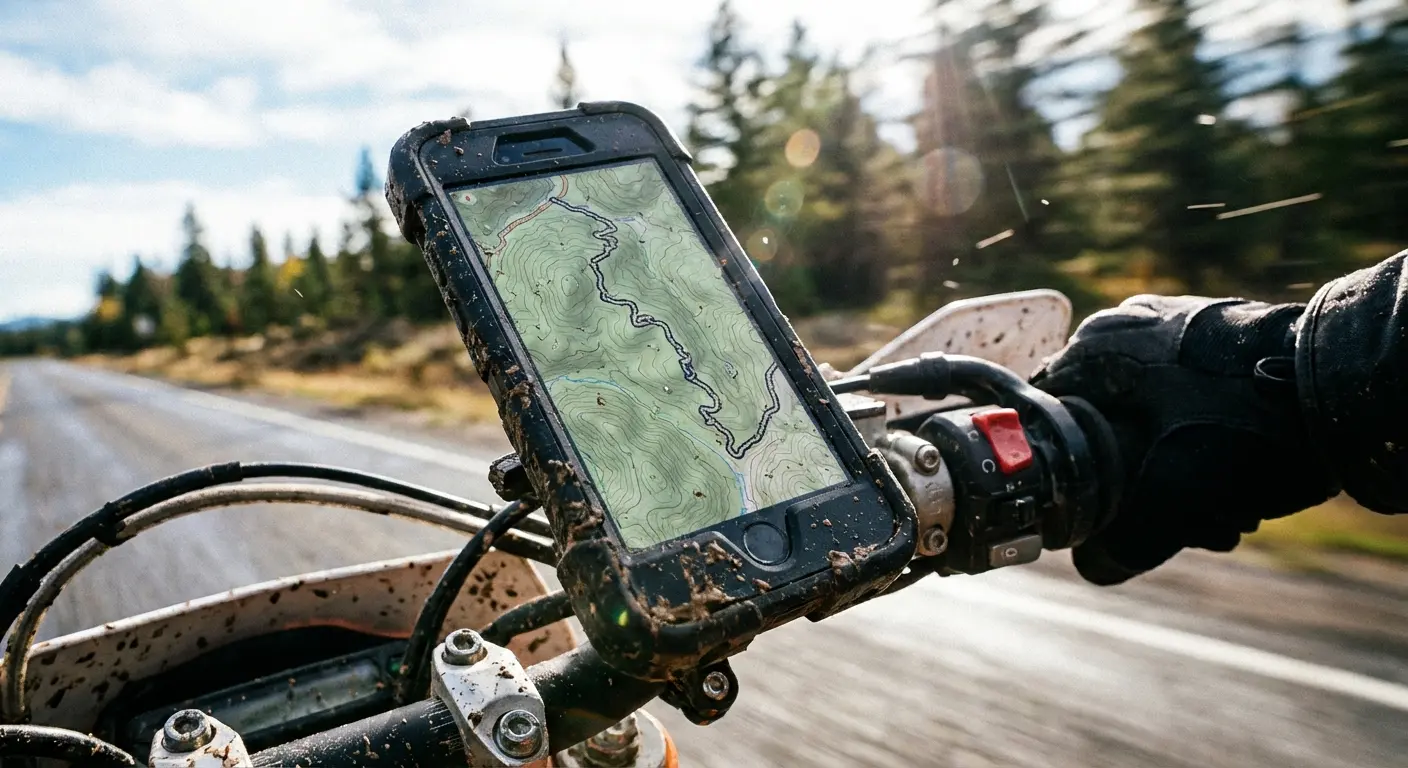
If you use mapping apps while riding a motorcycle, you know the struggle of vibration. Rokform’s Rugged cases with the RokLock™ twist lock system ensure your phone stays glued to your bike. You can glance at your navigation without panicking that your phone is about to bounce down the highway. We know staying on track matters, which is why we put together a list of the best cycling apps to pair with your mount.
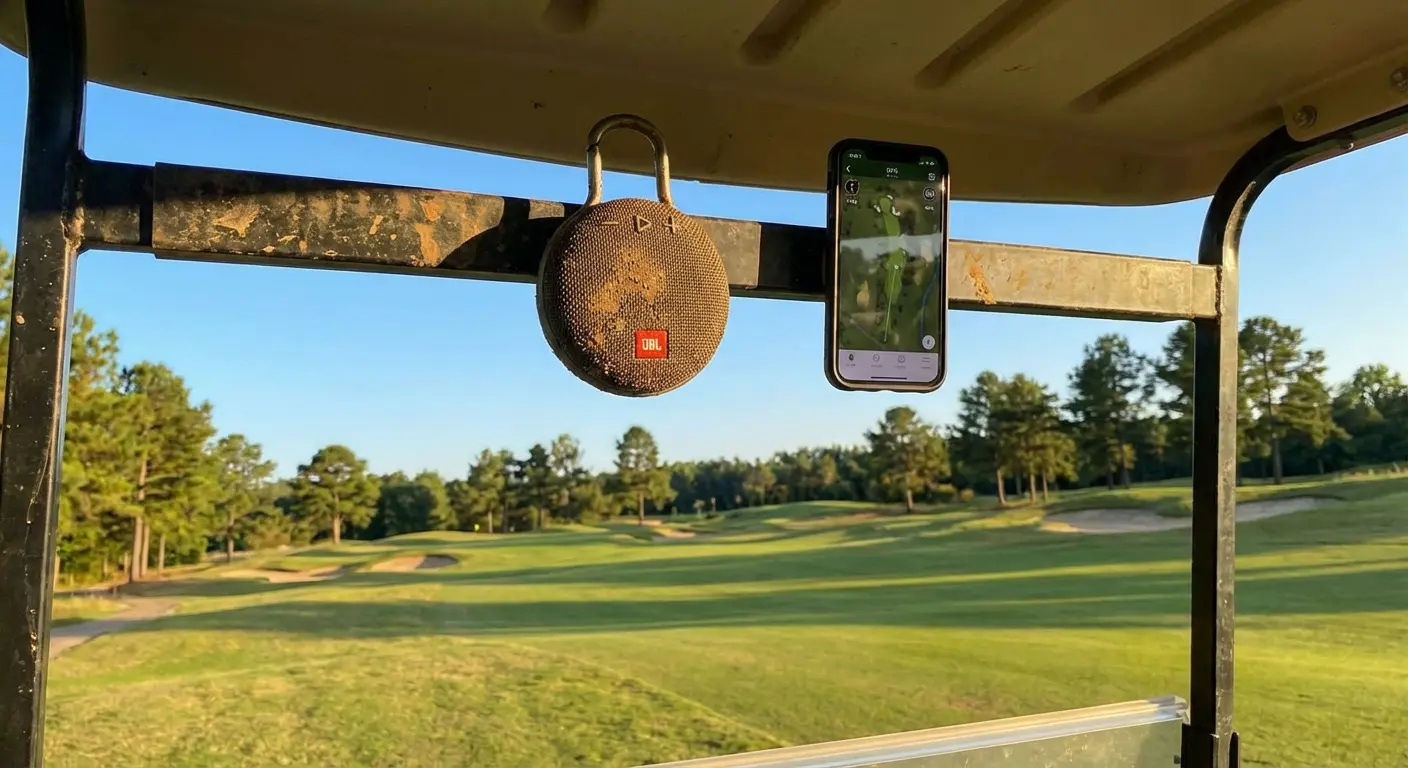
For the golfers out there downloading course management apps, we integrate tech right into the game. The G-ROK PRO Bluetooth golf speaker has a massive magnet on it. You can stick it (and your phone via a magnetic case) right to the cart frame. It gives you instant access to your yardage apps without fumbling in cup holders. If you need the right software to lower your handicap, check out our picks for the best GPS golf apps.
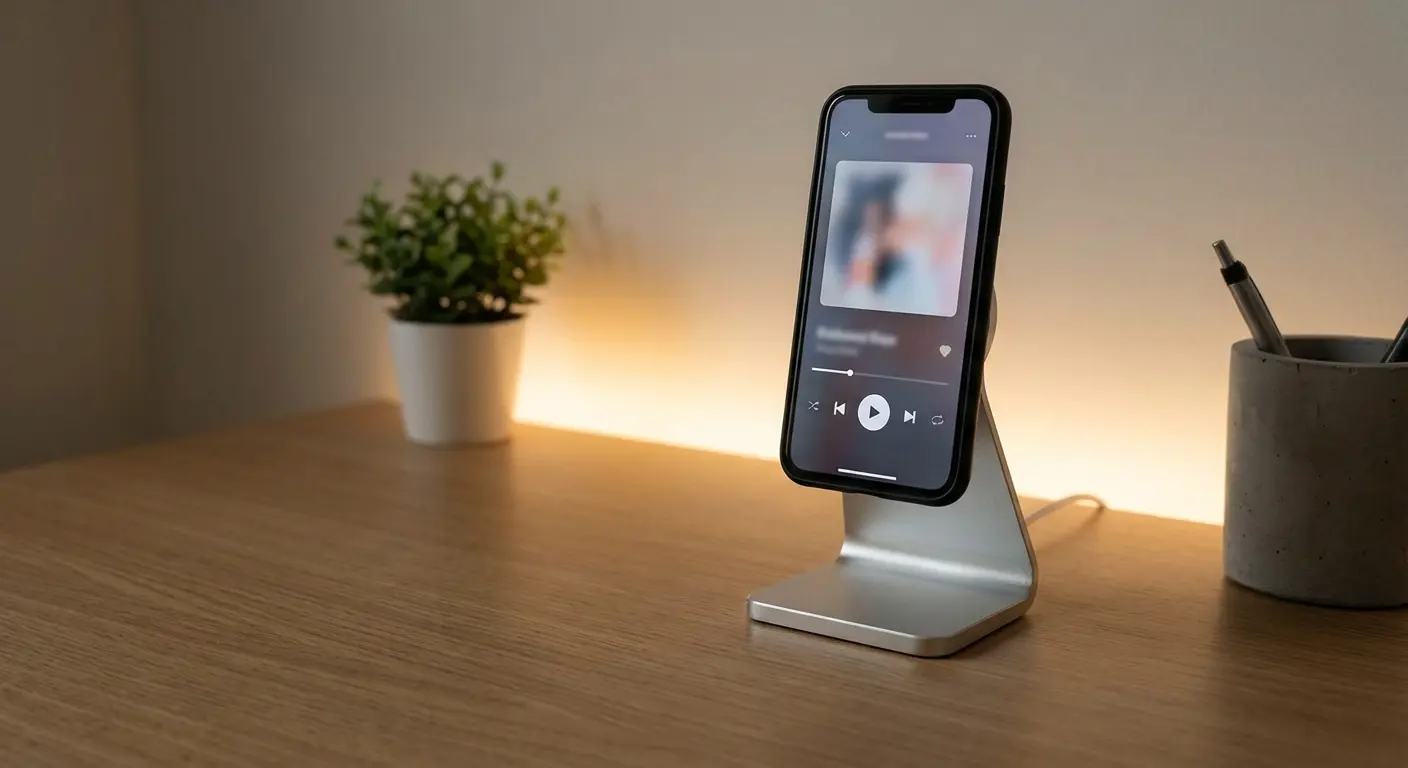
Even if you're just at the gym or in the garage, Rokform’s MagSafe® compatible accessories and Magnetic Wireless Charging Stand give you the perfect viewing angle while keeping the battery full. Whether you pulled an android app from the google play store or a niche utility from f-droid, our gear makes sure your hardware survives the experience.
Activity |
App Category |
Recommended Rokform Gear |
|---|---|---|
Motorcycling / Cycling |
GPS & Navigation (Google Maps, Waze) |
Rugged Case + Handlebar Mount (Stops the vibration). |
Golfing |
Yardage & Scoring (18Birdies, Grint) |
G-ROK Speaker + Magnetic Case (Mounts instantly to the cart). |
Driving / Commuting |
Traffic & Music (Spotify, Audible) |
MagSafe® Dash Mount (Hands-free and safe). |
Home / Office |
Productivity & Streaming (Zoom, YouTube) |
Wireless Charging Stand (Never run out of juice). |
In 2026, the best app experience requires the toughest protection. Rokform’s military-grade builds ensure that no matter which store you get your apps from, your device survives the adventure.
Final Thoughts
The best thing about Android is that you aren't locked in. You have choices. Whether you stick to the google play store because it's easy, or you dive into f-droid because you value privacy, the power is in your hands. We think exploring a new android app store can breathe new life into your phone. Just remember to vet your sources, keep your security settings tight, and make sure your physical device is protected for the long haul. Ultimately, the right android app store combined with the right protection makes your experience limitless.

