


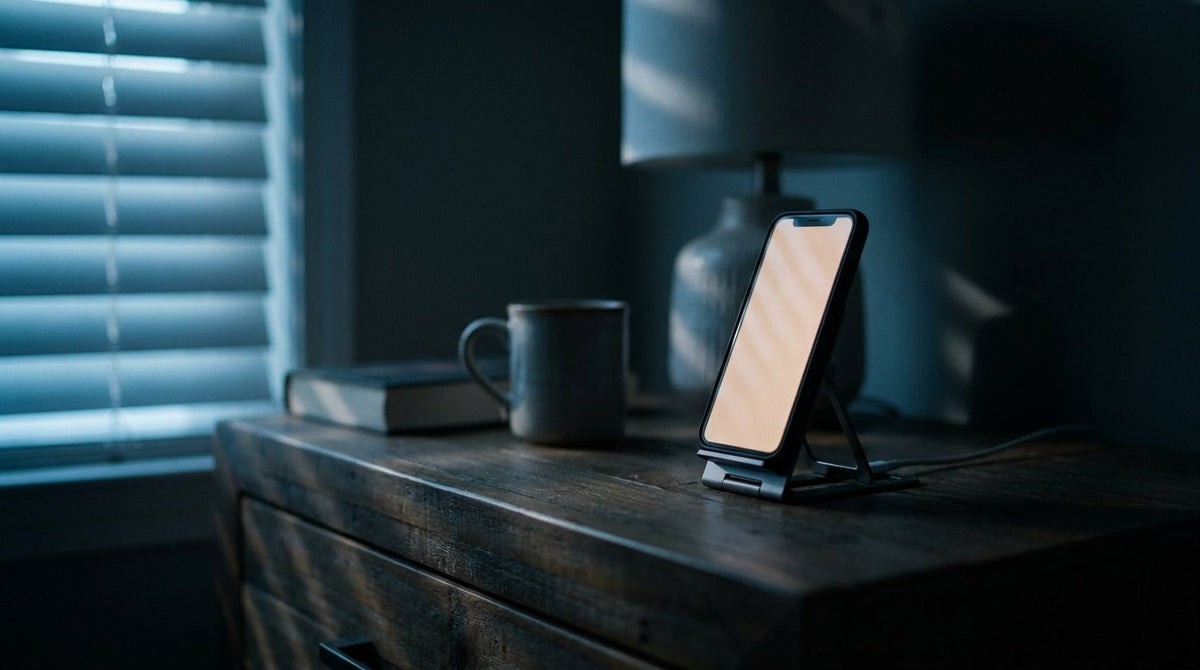
3-in-1 stand charges phone, watch and earbuds at once.
You plugged in at 11pm and woke at 6:15am. The number says 80, and your first thought is that something broke overnight. A poll of 2,000 Americans run by Talker Research in early 2025 pinned the average battery panic point at 38 percent, with 34 percent happy to ride below 20. Seeing 80 shouldn't trip that wire, yet it does, because the number arrived at the wrong time. Optimized Battery Charging iPhone software is doing exactly what it was built to do, and the people switching it off are paying for the privilege. Here's what the hold is actually for, and the ten second fix for mornings you need every last percent.

Table of Contents
- What optimized battery charging iPhone software does to your charge
- Why 80 percent is the number
- Charge Limit is not the same switch
- Clean Energy Charging and Adaptive Power
- Does charging iPhone overnight affect battery health
- When the hold looks like a fault
- Why it never turns on for some people
- Travel, hotels and the weeks it gives up
- Charging gear that keeps the routine in one place
- Final thoughts
TL;DR
- The verb Apple uses is delay, not stop. Your phone pauses in the low 80s and finishes to 100 before you unplug.
- A Lock Screen notification says when it will be full. Touch and hold it, tap Charge Now, and the hold ends for that session.
- Charge Limit is a different feature: a hard ceiling from 80 to 100 percent in 5 percent steps, iPhone 15 and later only.
- Optimized Battery Charging iPhone 15 and later only exposes when that ceiling reads 100 percent. Drop the ceiling and the toggle disappears.
- The feature needs 14 days of learning and at least 9 charges of 5 hours or more in one location before it engages.
- Travel, night shifts and short desk top-ups break the pattern it's trying to learn.
- Does charging iPhone overnight affect battery health? Time spent sitting full and heat do the damage, not the hour on the clock.
What Optimized Battery Charging iPhone Software Does Between 80 and 100
Three things happen in sequence and only the middle one is visible. Your phone learns your daily charging routine with on-device machine learning, predicts whether this connection will be a long one, then pauses somewhere in the low 80s and resumes so the battery lands at full near the moment you normally pull the cable. Apple's wording settles the argument: the algorithm "aims to ensure that your iPhone is still fully charged when unplugged."
The feature is not rationing your battery. It compresses the hours your cell spends at a high state of charge into the smallest window that still gets you to 100 by wake-up. None of it touches charging speed, and for that side of the story, here's how fast charging actually works.
The prediction, the hold, and the finish
Prediction is the fragile step. Optimized Battery Charging iPhone models run only engages "when your iPhone predicts it will be connected to a charger for an extended period of time," per Apple's charging documentation. A twenty minute top-up in the car doesn't qualify. The hold is passive: current stops for a few hours, then resumes on schedule.
The notification most people swipe away
Apple puts a line on your Lock Screen stating when the phone will be fully charged. Almost nobody reads it. That notification is also the override:
- Open Settings, tap Battery, then Charging on iPhone 15 and later, or Battery Health & Charging on iPhone 14 and earlier.
- Confirm the limit reads 100 percent. Anything lower hides the feature.
- Check that Optimized Battery Charging is switched on.
- Lock the phone while plugged in and look for the full charge estimate.
- Touch and hold that notification, then tap Charge Now.
Charge Now applies to that session only and disables nothing.
Where the setting lives on your model
The path split with iPhone 15. Newer phones get Settings, Battery, Charging. Older ones get Settings, Battery, Battery Health & Charging. Half the confusion online comes from people following a tutorial written for the other generation.
Why 80 Percent Is the Number, Not 90 or 95
Lithium-ion cells age even when nothing is drawing from them. A cell held near full keeps its graphite anode at a low potential, which keeps driving electrolyte reduction at the anode surface. That reaction thickens the solid electrolyte interphase and permanently locks away lithium you used to have as capacity. Nothing has to be running. Calendar aging happens on a shelf.
Modelling in RSC Advances in July 2025 put that layer at 308.6 nanometres on cells stored at 90 percent state of charge and 55 C, with conductivity loss past 20 percent, against 38.0 nanometres and 2.5 percent for cells parked at 10 percent and 25 C. Those are laboratory cells at punishing temperatures. Nobody should read nanometres as an iPhone spec, and I wouldn't quote the figure if the shape of the curve weren't transferable.

What the storage studies actually measured
Experimental work in the journal Batteries stored graphite cells at seven levels from 20 to 100 percent and found a large impact at 100 percent storage state of charge, with the influence small below 80. Flat across the middle, steepening hard at the top. Apple's hold point sits where the penalty starts climbing.
Heat and state of charge multiply each other
Temperature does its own damage on top. Apple names 62 to 72 F as the comfort zone, warns that ambient temperatures above 95 F "can permanently damage battery capacity," and notes that charging inside certain case styles "may generate excess heat." Fade accelerates with temperature on an Arrhenius curve, so a full battery in a hot car ages on two axes at once. If the pack feels warm nightly, read our breakdown of a phone overheating while charging before you blame the software.
Charge Limit Is a Separate Control, and Only Some iPhones Have It
Four Apple features touch charging or power, and readers blame all four for each other. Charge Limit is the hard ceiling: pick a value from 80 to 100 percent in 5 percent steps and the phone stops within a few points of it. Optimized Battery Charging iPhone 15 and later only offers when that ceiling sits at 100. Set 90 and the toggle vanishes, which reads as a bug and isn't one. iPhone 14 and earlier has no ceiling at all, just the single switch.
| Feature | What it does to charging | Which iPhones | Default |
|---|---|---|---|
| Optimized Battery Charging | Delays charging past 80 percent, finishes before your usual unplug time | All supported models, only at a 100 percent limit | On |
| Charge Limit | Hard ceiling from 80 to 100 percent in 5 percent steps | iPhone 15 and later | 100 percent |
| Clean Energy Charging | Suspends charging while the grid forecast is dirtier | iOS 16.1 and later, United States | On |
| Adaptive Power | Manages discharge, turns on Low Power Mode at 20 percent | iPhone 15 Pro and later | On for iPhone 17 family and iPhone Air |

None of this depends on which brick you own, though the types of phone chargers you keep around change how long the phone sits plugged in.
The 5 percent resume rule and the occasional top to 100
Your phone charges to within a few points of the ceiling, stops, and starts again if the level drops more than 5 percent while still connected. That's why a phone set to 80 sometimes reads 76 and sometimes 81. Separately, a phone limited below 100 will occasionally charge all the way up to keep its state-of-charge estimate honest, which people report as the setting failing. That one is calibration, and most owners see it twice a year.
The recommendation banner
iOS now suggests a ceiling based on how you use the phone, along the lines of "a charge limit of 95% is recommended to help preserve your battery." Accepting 95 costs almost nothing in real range, while 80 is a genuine sacrifice you should choose deliberately.
Clean Energy Charging and Adaptive Power Get Blamed for This
Two more features alter what your phone does with power, and both get mistaken for the 80 percent hold.
Clean Energy Charging times your charge to the grid
Apple turned this on by default in the United States with iOS 16.1. Your phone pulls a carbon emissions forecast, suspends charging while the grid is dirtier, and resumes when cleaner power is expected. Battery chemistry has nothing to do with it. You plug in at 9pm, find the phone idle at 61 percent an hour later with an estimate on screen and no mention of 80 percent, and switch off the wrong toggle. It lives under Settings, Battery, Charging. Adapter efficiency is another question, and if you've wondered what a GaN charger is, that's where the heat difference comes from.
Adaptive Power manages discharge, not charge
Apple Support documented Adaptive Power in December 2025: the iOS 26 power mode ships on by default on iPhone 17, iPhone 17 Pro, iPhone 17 Pro Max and iPhone Air, and off by default on iPhone 16 and iPhone 15 Pro models. It trims brightness, slows background work, and flips on Low Power Mode at 20 percent, after 7 days of learning against the charging feature's 14.
Does Charging iPhone Overnight Affect Battery Health, or Not
Straight answer: does charging iPhone overnight affect battery health depends on how many of those hours the cell spends at 100 percent, plus how warm it gets. Apple ties chemical age to "a complex combination of several factors, including temperature history and charging pattern."
Two identical phones on two nightstands, same eight hour window, make the point. Phone A has the feature running. It reaches 82 percent by 12:30am, sits in the low 80s until roughly 5:30am, then finishes to 100 before the 6:45 alarm. Phone B has it off, hits 100 by 1am, and spends six hours pinned there. Same outlet, same eight hours, six hours of difference in time held at the level that does the damage. The same clock applies on a pad, which is the honest answer to is wireless charging bad for battery arguments, and it's why wireless charging with iPhone hardware follows the same rules as a cable.

The case, the pillow and the nightstand
Heat is the variable you control most easily and think about least. A phone buried in bedding has nowhere to dump the warmth it generates, and a thick case traps more of it against the pack.
When the Hold Looks Like a Phone Not Charging iPhone Fault
Five symptoms account for nearly every phone not charging iPhone complaint, and only two of them are hardware. Sort yours first.
| What you see | Most likely cause | First thing to check |
|---|---|---|
| Parked in the low 80s overnight, bolt showing | The 80 percent hold working | Lock Screen full charge notification |
| Stops a few points under a number you chose | Charge Limit ceiling | Settings, Battery, Charging |
| Paused with an estimated full time, no mention of 80 | Clean Energy Charging | Settings, Battery, Charging |
| No charging indicator at all | Cable, adapter or blocked port | Swap cable and adapter, inspect port |
| Very slow charge, phone feels hot | Heat or an underpowered adapter | Remove the case, move it off bedding |
Optimized Battery Charging iPhone owners blame first is only the top row. Pocket lint packs into the connector over months, so learn to clean a clogged charging port before you book a repair. A phone not charging iPhone diagnostics can't explain usually turns out to be a cable that failed at the strain relief.
Five checks before you blame the port
Run these in order and stop at the first yes.
- Is there a Lock Screen notification giving a full charge time? Software. You're fine.
- Swap the cable and adapter. Any movement in ten minutes clears the hardware.
- Is the phone too warm to hold? Cool it down, pull the case, retry.
- Turn the connector over. Charging in one orientation only points at the cable or port.
- Charges from a computer but not a wall adapter, or the reverse? Adapter.
Anything failing all five earns a service appointment. Our diagnostic on why your phone stopped charging covers the hardware branches this list hands off to.
The one case where the hold really costs you
Irregular unplug times wreck the prediction. A phone that leaves the charger at 6am Monday and 11am Saturday guesses wrong often enough to leave you short, and switching the feature off is defensible there. You're trading measurable cell life for predictability.
Why Optimized Battery Charging iPhone Owners Never See It Engage
A phone parked at 80 percent for three hours on an office desk at noon is the opposite problem. The feature isn't engaging, because a desk charge you interrupt every few minutes is not a long connection.
Apple's own documentation puts hard numbers on the training period: at least 14 days of learning before it engages at all, and at least 9 charges of 5 hours or more in a given location. Neither figure appears in any of the top competing results. Apple's troubleshooting note adds that it won't engage when your habits are variable, when you travel, or when you charge in short bursts, and that Location Services, System Customization and Significant Locations all need to be on.
What the word location is doing there
The learning is anchored to a place. Charge in the kitchen one night, the bedroom the next, the office on the third, and the pattern never forms. A night shift worker whose window slides six hours twice a week waits a long time for the feature to appear. One consistent spot fixes more than any setting does.
Travel, Hotels and the Weeks It Simply Gives Up
Two hotel nights in two different cities will not produce nine qualifying charges in one location, so Optimized Battery Charging iPhone models rely on will sit dormant for the whole trip. Charge to full the night before a travel day, keep the phone out of hot cars, and carry a portable phone charging battery so you aren't chasing terminal outlets. A portable phone charging battery won't change how the feature behaves, since it can't create a routine. What a portable phone charging battery removes is the pressure to grab five minute top-ups, the least useful charges you can give a cell. Pack one adapter you trust, and the Rokform charger lineup is a reasonable place to start.

Wireless charging with iPhone on the road
The Wireless Power Consortium announced Qi2 25W on 23 July 2025, lifting the magnetic standard to 25 watts, nearly 70 percent more power than the original Qi2 by the consortium's own measure. Wireless phone charging iPhone owners set up on a hotel desk obeys the same two rules that govern a cable: heat, and hours at a high state of charge.
Charging Gear That Keeps the Routine in One Place
Everything above points at one habit. The software wants nine long charges in a consistent spot, and the chemistry wants the phone cool while it sits there. A stand that lives permanently on one nightstand solves both, because the charge stops moving around the house and the phone sits in open air.
Rokform's 3-in-1 Foldable Wireless Charging Stand at $99.99 charges phone, watch and earbuds at once, folds flat for travel so the same spot follows you into a hotel room, and is built from zinc alloy and glass rather than something that flexes in the dark. Wireless phone charging iPhone users leave running overnight works best when the phone has one home, and postponing an iphone replacement battery cost is a side effect of that routine.
Final Thoughts
The number on your screen at 6am is a design decision backed by storage aging data, not a fault. The feature people disable in frustration is the one doing the most to keep capacity where it is, and the override is a long press on a notification you've been swiping away for years.
Leave it on. Pick one charging spot, keep the pack cool and out of bedding, and stay there long enough for the phone to learn the pattern. Set a 95 percent ceiling if your model offers one and you want margin against the iphone replacement battery cost coming at the end of this phone's life. Dull is the point. For mornings when none of it applies, read our guide to emergency override iPhone charging.

